
How to Plan Your Team Headshot Session
A practical guide to organizing a headshot day for your team. Covers scheduling, timing per person, what to communicate to employees, and common planning mistakes.
How to Plan Your Team Headshot Session
Someone in your office just got assigned the job of organizing headshots for the team. Maybe that person is you. And now you’re wondering where to even start. How long does this take? What do you tell everyone? Do people need to bring anything? What if half the team “forgets” to show up?
It’s a lot of moving parts for something that sounds simple on paper. But with some upfront planning, a corporate headshot day can run smoothly without eating up your entire week. I’ve photographed teams ranging from 5 people to over 100, and the sessions that go best always have one thing in common: someone took the time to plan it out beforehand.
I’m going to walk you through it.
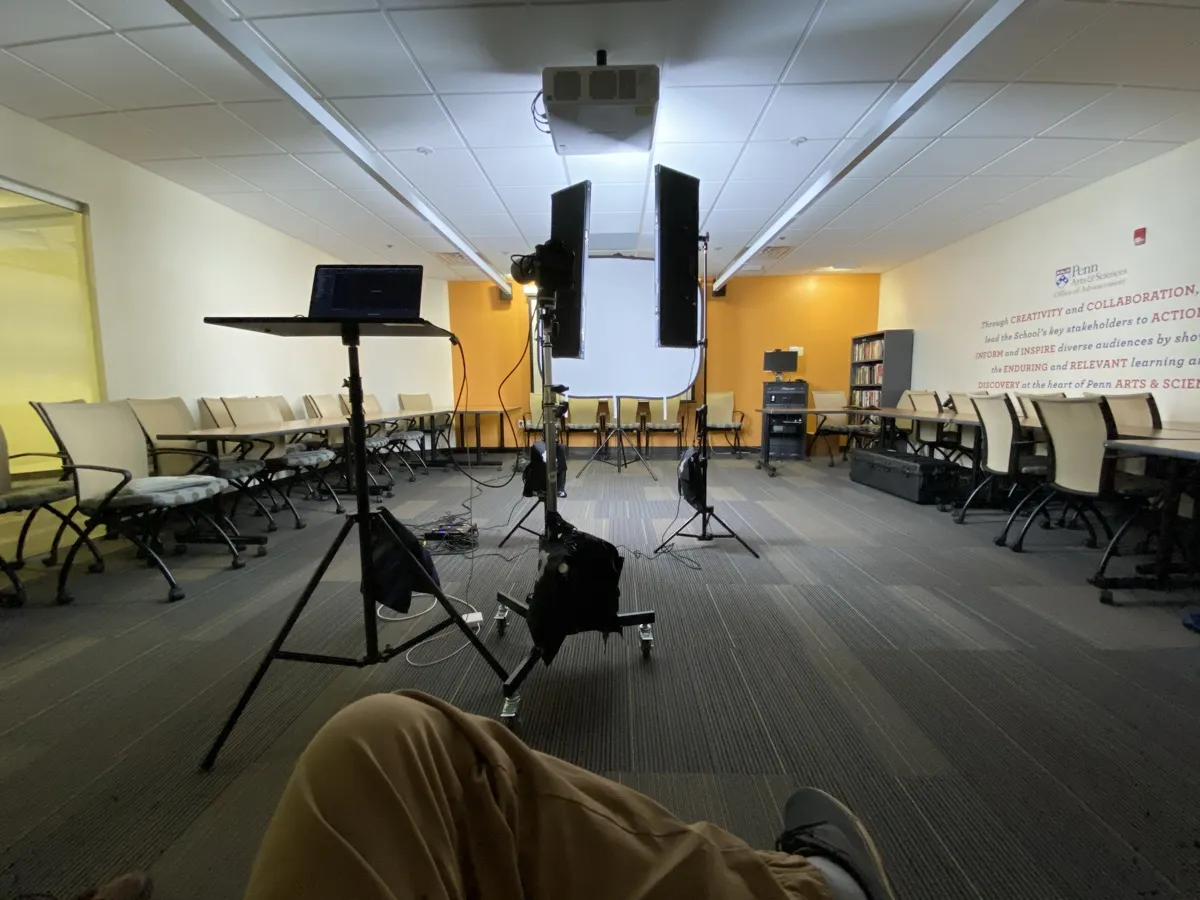
How Long to Budget for Your Team Headshot Session
This is the question I get most often, and it makes sense. You need to block calendars, possibly book a conference room, and tell everyone when to show up.
A reasonable estimate is 10-15 minutes per person. That includes both shooting time, and a brief review of the images. Some people are in and out in 8 minutes. Others take closer to 20. For smaller groups, it might be good to allow for more time per person, just to keep things from being too rushed.
So for a team of 7 people, you’re looking at roughly 1.5 to 2 hours of shooting time. Add 20-30 minutes on each end for setup and wrap-up, and you’re at about 2 to 2.5 hours total.
Here’s a rough breakdown for different team sizes:
SESSION TIME BY TEAM SIZE
Based on 10–15 minutes per person + setup/buffer time
These are ballpark numbers. Your photographer should give you a more specific timeline once they know your setup, what you are looking for, and whether you’re shooting on-location or in a studio.
One thing I’d recommend: build in buffer time between people. Back-to-back scheduling with zero gaps sounds efficient, but one person running 5 minutes late throws off the entire afternoon. A 5-minute cushion between slots saves headaches.
Communicating With Your Team (This Part Matters More Than You Think)
The single biggest factor in how smoothly a headshot day runs isn’t the photographer or the equipment. It’s whether your team actually knows what’s happening and when.
Send a communication at least two weeks before the session if possible. Include:
The schedule. Give everyone a specific time slot. “Headshots are happening Tuesday” is vague. “Your slot is 2:15 PM in the third floor conference room” is something people can actually plan around. If you want things to be a litle more loose thats fine, but you have to ensure there is always someone available for the photographer to be photographing. Otherwise, things will fall behind.
What to wear. Keep guidelines simple. Something like “solid colors, business casual or business professional, avoid busy patterns and logos” covers it for most companies. If your photographer has a wardrobe guide, send that along too. I have a full guide on what to wear that I send to clients ahead of time. Saves a lot of last-minute wardrobe panic.
What to expect. A lot of people dread headshot day because they don’t know what it involves. A quick note saying “it takes about 10-15 minutes per person, the photographer will guide you in front of the camera, and you’ll be able to see the photos as they’re taken” goes a long way toward calming nerves.
Grooming basics. You don’t need to write a novel here. A simple reminder: get haircuts at least a week before (not the day before), keep makeup consistent with your normal look, and check for lint or wrinkles before you walk in. The small stuff matters. FYI some photographers have lint rollers and small mirrors available.
A follow-up reminder the day before doesn’t hurt either. People forget.
Designate a Point Person
This might be you, or it might be someone else entirely. But headshot day needs a coordinator on-site who can:
- Keep people on schedule (track down the person who forgot their 2:30 slot)
- Handle wardrobe emergencies
- Answer logistical questions so the photographer can focus on photographing
- Make decisions if something needs to change on the fly
I’ve worked with companies where the office manager handled this beautifully, and I’ve worked with companies where nobody was in charge and the whole day felt chaotic. The difference is significant.
Studio vs. On-Location
You’ve got two main options for where to shoot, and each has trade-offs.
In-studio: Your team comes to the photographer’s space. The lighting is already dialed in, the backgrounds are set, and the environment is controlled. This generally produces the most consistent results with the least amount of variables. The downside is that everyone has to travel to the studio, which means commute time and possible parking logistics.
On-location (at your office): The photographer comes to you. This is more convenient for your team. Nobody has to leave the building, assuming they all work in person. They just walk down the hall for their slot. But it requires a suitable space. You need a room with enough square footage, ideally with high ceilings and the ability to control the lighting (meaning you can close blinds, block out windows, turn off lighting etc). A cramped conference room with fluorescent lights and glass walls is going to create problems.
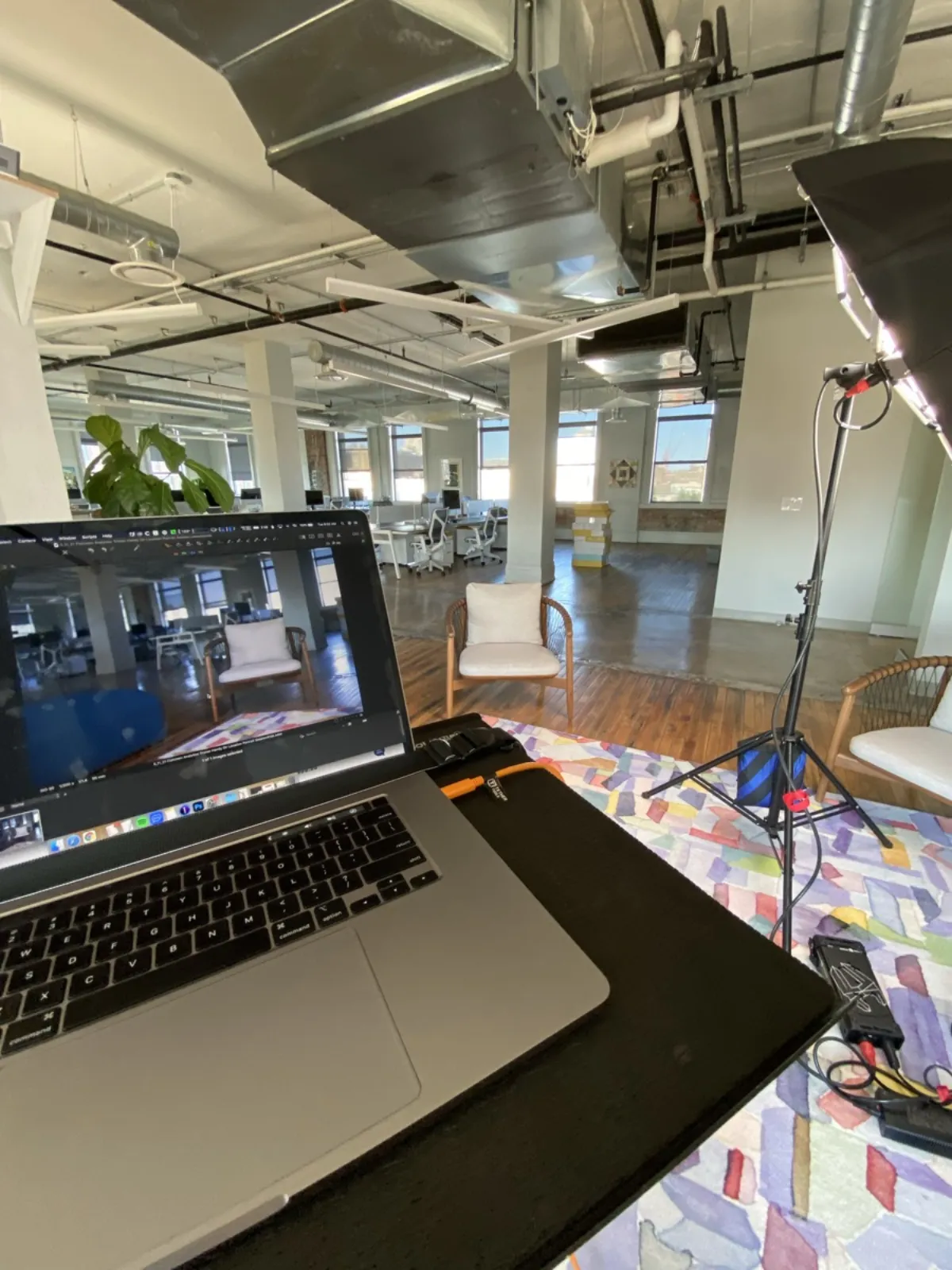
For larger teams (20+), on-location usually makes more practical sense. Getting 30 people to a photographer’s studio across town eats up a lot of productive hours. For smaller teams, either option works well. A good apporach to get a large group photographed but in a relaxed setting is to send your large team to the photographers studio individually. This way each person can schedule their own date and time with the photographer taking some of the coordination and schduling work off your plate. This also tends to allow for more time with each person since there isnt someone else waiting in the wings.
If you go the on-location route, your photographer might want to do a site visit or at least see photos of the space beforehand. That’s normal. They need to plan their lighting setup and make sure the space actually works before showing up with a car full of equipment.
Common Mistakes That Derail Team Headshot Days
I’ve seen the same problems come up repeatedly. Most are avoidable.
Not giving people enough notice. Announcing headshots three days out almost guarantees low participation. People need time to plan their outfit, maybe schedule a haircut, and mentally prepare (a lot of people genuinely stress about this). Two weeks minimum. A month is better for larger teams.
Scheduling too tightly. I mentioned this earlier, but it’s worth repeating. If you schedule 15 people in exactly 15-minute blocks with no gaps, you’re one late arrival away from a cascading delay. Build in buffer time. Your future self will thank you.
Forgetting about remote employees. If part of your team is remote, figure out the plan for them early. Can they come in for headshot day? Do you need to coordinate with a photographer in their city? I work with other photographers across the country (and internationally) to match my work for remote team members, but that requires advance planning. It’s not something you want to figure out the week of.
Not providing wardrobe guidance. If you tell people “dress professionally” and leave it at that, you’ll get everything from three-piece suits to wrinkled polos. Specific is better. Even a few examples of what works and what to avoid helps.
Trying to do it during a busy period. Don’t schedule team headshots during your company’s busiest season or right before a major deadline. People will either skip their slot, rush through it, or show up visibly stressed. Pick a quieter week when people can actually take 15 minutes without feeling guilty about stepping away from their desk.
Skipping the test shot. If this is your first time working with a particular photographer, consider scheduling one or two people ahead of the main headshot day as a trial run. This lets you confirm the background, lighting, and overall look before you commit to shooting the entire team. It’s much easier to adjust after two photos than after forty.
After the Session
Once the shooting is done, a few things to think about:
Selection and retouching timeline. Ask your photographer upfront how long it takes to deliver final images. For larger teams, it can take a couple weeks since each person’s photos need individual retouching. Don’t promise your marketing team they’ll have updated photos by Friday if you shot on Wednesday.
Image storage and distribution. Figure out where the final photos will live and how people will access them. A shared drive, cloud folder, or company intranet all work. Just make sure people can actually get to their photos without emailing you individually.
Plan for new hires. What happens when someone new joins your team? Establish a system for getting new employees photographed within their first few weeks. Many photographers (myself included) offer individual follow-up sessions at a reduced rate when you’re already a team client.
Getting Started
The planning is honestly the hardest part. Once your team shows up and the session is rolling, it moves fast. Most people are surprised at how quick and painless it is, especially the ones who were dreading it.
For teams in the Philadelphia area, reach out for a custom group quote and I’ll put together a plan that fits your team size, schedule, and location. Every team is different, and the approach should reflect that.
And if you’re looking for more on keeping everyone’s photos looking cohesive, I’ve got a separate guide on creating consistent team headshots that covers backgrounds, lighting, and wardrobe standards.
Ready to Get Started?
Have questions? Let's discuss your needs and create perfect professional images.